Compliance Built for Automated Invoice Operations
How Microsoft Power Automate Connects With Serbia E-Invoicing
- Business Event Detection: Configured flows identify relevant invoice events from connected applications and business processes.
- Information Collection: Required customer, transaction, tax, and document information is gathered from connected source systems.
- Workflow Transformation: Collected information moves through defined actions that prepare records for Serbian electronic invoicing.
- Document Exchange: Prepared invoice information is passed toward the appropriate Serbian electronic invoicing environment.
- Response Handling: Available processing responses can trigger subsequent workflow actions, notifications, or internal review steps.
- Process Completion: Completed activities and relevant statuses can be retained within connected workflows for operational visibility.
What Advintek Adds To Microsoft Power Automate
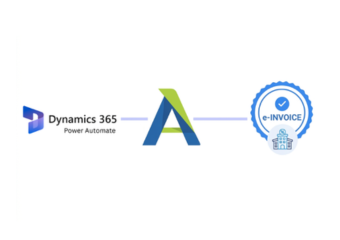
Advintek extends Microsoft Power Automate with a Serbia-focused electronic invoicing connection, allowing automated business flows to interact with digital invoice processes.
- Connects automated flows with SEF
- Moves invoice data between systems
- Supports electronic document exchange
- Enables workflow-based response handling
Why Businesses Automate With Microsoft Power Automate
- Routine Invoice Tasks Become Automated: Configured flows can handle repetitive invoice-related actions, allowing finance personnel to spend less time coordinating information between applications.
- Approvals Follow Defined Logic: Power Automate can direct invoice activities according to configured conditions, helping organizations establish consistent approval routes across business scenarios.
- Connected Systems Work Together: Applications across sales, finance, operations, and administration can exchange relevant information through automated workflows rather than isolated processes.
- Exceptions Can Trigger Actions: Specific conditions can initiate notifications, alternate workflow paths, or review steps when invoice processing requires human attention.
- Activity History Supports Oversight: Workflow activity records provide useful visibility into automated actions, helping teams investigate process events and understand how invoice tasks progressed.
- Existing Processes Remain Adaptable: Organizations can configure automation around their application landscape, allowing Serbian invoicing activities to fit broader digital business processes.
Complete Control Over Serbia E-Invoicing Workflows in One Platform
Error Detection and Resolution Support
Start invoice-related actions when configured business events occur across connected applications.
Dashboard and Reporting
Direct different invoice scenarios through appropriate workflow paths based on configured business conditions.
Dedicated e-Invoicing Support
Move relevant information between connected applications without relying on repetitive manual transfers.
Built For Microsoft Power Automate Businesses In Serbia
Advintek supports organizations using Microsoft Power Automate to coordinate finance, sales, administration, and other recurring business processes.
- Automate recurring invoice activities
- Connect workflows with Serbian SEF
- Coordinate information across applications
- Monitor automated process activity
Automate Digital Invoice Workflows
Advintek connects Power Automate workflows with Serbia’s invoicing environment for coordination.
Microsoft Power Automate orchestrates workflows. Advintek connects Serbian invoicing.
Ready e-Invoice System
Frequently Asked Questions Power Automate e-Invoicing Serbia
Can Microsoft Power Automate trigger actions for invoice-related events?
Yes. Microsoft Power Automate can initiate configured actions when defined events occur within connected applications. For Serbian electronic invoicing, Advintek can connect applicable workflow activities with the invoicing process, allowing businesses to automate subsequent actions such as information transfer, notifications, internal routing, or response handling.
Can Power Automate connect multiple business applications for invoicing?
Yes. Microsoft Power Automate is designed to coordinate workflows across connected applications and services. Advintek can provide the Serbian electronic invoicing connection, allowing relevant information from finance, sales, CRM, or operational applications to participate in a coordinated invoice workflow.
How can Power Automate handle invoice exceptions?
Configured conditions can identify particular invoice situations and send them through alternate workflow paths. With Advintek connected, businesses can use Microsoft Power Automate to initiate notifications, additional review activities, or corrective workflow actions when relevant processing information requires attention from finance or administrative personnel.
Can approval workflows be connected with Serbian invoicing processes?
Microsoft Power Automate can coordinate configured approval activities before or around invoice processing. Advintek can connect the resulting workflow with Serbia’s electronic invoicing environment, helping organizations establish a controlled sequence between internal authorization activities, document preparation, electronic exchange, and subsequent workflow actions.
Does Microsoft Power Automate replace the accounting system used by businesses?
No. Microsoft Power Automate is primarily a workflow automation platform rather than a replacement for an organization’s accounting or enterprise application. Advintek works alongside Power Automate, connecting relevant automated processes with Serbian electronic invoicing while businesses continue using their existing systems for core financial operations.